 Desktamer
Do desktop pets slow down your computer? What we measured
A desktop pet is a small, see-through window that stays above your other windows and moves itself around. It runs all day, so it’s fair to ask what it costs your computer.
We make Desktamer, and we measure what its pets cost whenever we change how they move or draw. Here’s what we found, what makes one pet heavier than another, and how to check any desktop pet on your own computer.
Will desktop pets slow down my Mac or PC?
A well-made desktop pet won’t slow down a modern Mac or PC in a way you’d notice. On our Macs, three of Desktamer’s pets standing still use under 1% of one processor core. Three walking the whole time use about 13% of one core, which on a 10-core chip like Apple’s M4 is just over 1% of the whole processor.
What can add up:
- Lots of pets walking at once. A walking pet costs many times what a standing one does.
- An older or low-power laptop. The same work is a bigger share of a smaller processor, and you’ll notice it first in the battery.
- A pet app that never rests. One that keeps animating while your screen is off, or checks on things many times a second when nothing is happening.
- A game inside the app. It costs more while it’s on screen.
Where the cost comes from
- Moving. A pet lives in its own small window, and walking means moving that window across the screen many times a second, so it looks smooth. In our tests, walking was by far the biggest cost.
- Drawing. Every frame of an animation is a new picture on screen. A pet that only breathes and blinks between walks needs very little, if the app hands that animation to the system to play.
- Waking up. An app that asks “where’s the pointer?” or “time to move?” many times a second keeps the processor from resting, even if each check is tiny. That shows in battery life more than in the CPU number.
- Memory. A pet’s pictures sit in memory, and apps that draw with web pages, Desktamer among them, also run part of a browser engine. Three of Desktamer’s pets come to about 180 MB.
How the app is built matters more than how big or detailed the pet is. In September, before we moved walking into Desktamer’s native code on the Mac, three walking pets took about a third of a core. The same three now take about 13%.
What we measured
These are Desktamer’s own processes added together: the app, and the web pages that draw its pets.
| What’s on screen | CPU, where one core is 100% |
|---|---|
| Three pets standing still | 0.8% |
| Three pets napping | 0.7% |
| Three pets going about as usual: walking, stopping, napping | 10% |
| Three pets walking the whole time | 13% |
| Three walking pets, with the screen asleep | 0.4% |
| Quest’s window open and in front | 20% |
We ran each for a minute on Apple-silicon Macs, a Mac mini with an M4 and a MacBook Air, using our own test builds, between 30 September and 6 October 2026. We haven’t measured Windows and Linux the same way yet. They draw pets with a different web engine, so expect different numbers there. What’s the same and what differs is below.
Two things stand out:
- Standing still is almost free. Since version 0.7.0, a pet that stands and breathes is handed to the system to animate, so Desktamer doesn’t wake up for every frame. Before that, three standing pets used about 6%.
- Quest only costs while you’re looking. Its arena draws on the graphics card, and once its window is covered or closed it costs next to nothing.
On Windows and Linux
Desktamer is the same app on all three systems, with the same pets and the same settings. What changes is the web engine that draws the pets, and how much the system tells Desktamer about what you’re doing.
On Windows
- The same savings. Walking is moved by Desktamer’s native code, a pet standing still is handed to the system to animate, and Quest’s arena draws on the graphics card, as on a Mac.
- The engine is Microsoft Edge WebView2, the browser engine many Windows apps use to show web pages.
- Pets rest while the screen is off, locked or showing the screen saver, or while someone else is signed in to the PC.
- Full-screen games, videos and presentations send the pets on that display out of the way. This is on from the start on Windows: Hide pets in full-screen apps, under Settings, then Focus & privacy.
On Linux
- The engine is WebKitGTK, and on Wayland Desktamer runs through XWayland. There’s more on why in desktop pets on Linux.
- Walking still runs in the web page, as it did on the Mac until late September, so walking pets may cost more there. Calm, or Wander around turned off, saves the most.
- Pets don’t rest on their own when the screen is off or locked, because Desktamer can’t tell yet. Hide them from the tray, or from Desktamer’s window, when you step away.
- Nothing hides pets over full-screen apps, because Linux has no common way for an app to ask whether one is open.
How to check a desktop pet on your computer
You don’t have to take anyone’s word for it, ours included. Leave the pet doing what it usually does for a few minutes, then look:
- On a Mac, open Activity Monitor (in Applications, then Utilities), click CPU, and type the app’s name in the search field. Apps that draw with web pages show helpers beside them, such as “Desktamer Web Content” and “Desktamer Graphics and Media”, so add those up. 100% is one core. On a laptop, Energy Impact in the Energy tab is the better guide.
- On Windows, open Task Manager with Ctrl+Shift+Esc, find the app under Processes, and expand it to see its parts. For Desktamer, those include Microsoft Edge WebView2 processes, which draw its pets. Task Manager’s CPU column is a share of the whole processor, not of one core, so the numbers look smaller than on a Mac. Power usage tells you what it costs the battery.
- On Linux, run
htopand press F5 for the tree: the WebKitWebProcess processes that draw Desktamer’s pets sit underdesktamer.topandhtopcount like a Mac: 100% is one core.
A pet that’s only standing there should barely register. If it costs much more than that, it isn’t resting when it could.
Will a desktop pet drain my laptop battery?
A little, and mostly while it walks. Battery life depends on how often an app wakes the processor, not only on how hard it works, so a pet that rests well matters more than a pet that’s small. Three of Desktamer’s pets standing still wake the processor about 60 times a second. Before version 0.7.0 it was about 470.
What to look for in any pet app, and where to find it in Desktamer:
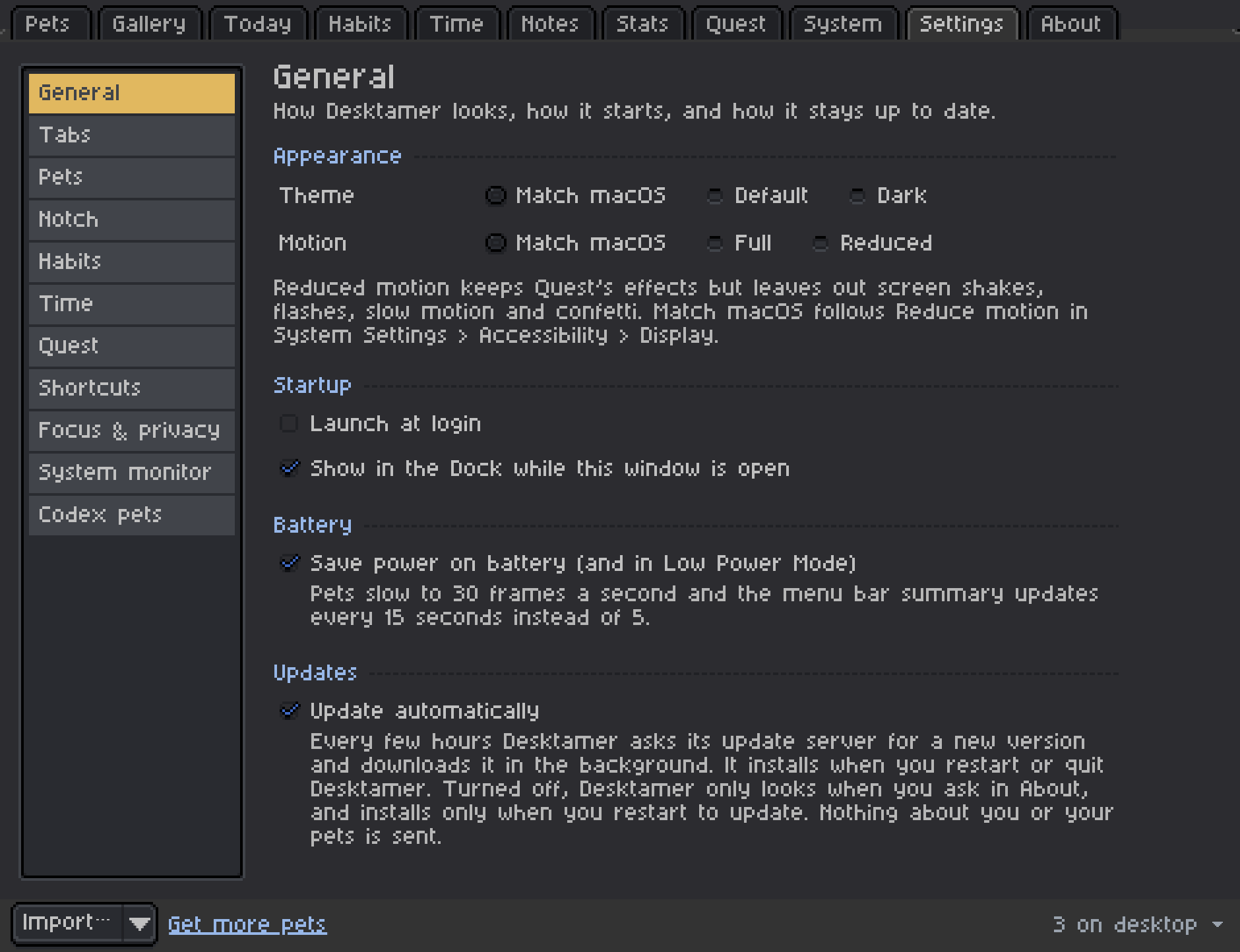
- It slows down on battery. Desktamer’s Save power on battery, under Settings, then General, is on from the start. On battery, in Low Power Mode on a Mac or with Battery saver on in Windows, pets animate at 30 frames a second instead of 60. On Linux it goes by the battery alone.
- It rests when nobody can see it. Desktamer’s pets rest while the screen is off, locked or showing the screen saver, on a Mac or a Windows PC, and carry on where they were when you’re back.
- It has a calmer setting. Fewer walks mean fewer window moves. In Desktamer, set Settings, then Pets, then Activity to Calm, and pets walk less and rest more. Turn off Wander around and they stay where you put them.
- It steps aside for full-screen games and videos. In Desktamer, that’s Hide pets in full-screen apps, under Settings, then Focus & privacy: on from the start on Windows, and off until you turn it on on a Mac.
- It keeps getting updates. Most of the savings above came in updates, without anyone changing a setting.
Looking for a pet to try? Here are the best desktop pets for Mac and for Windows, and what runs on Linux.