 Desktamer
Desktop pets on Linux: what runs, and why Wayland makes it hard
Desktop pets on Linux go back a long way. oneko’s cat has chased pointers across X11 screens since the nineties, and xpenguins still walks penguins along the tops of your windows. Pets aren’t the hard part on Linux today. Wayland is.

Why Wayland is hard on pets
A desktop pet is a small, see-through window that moves itself around the screen, stays above your other windows, lets clicks pass through its empty parts, and knows where your pointer is. Here’s what each system lets a regular app do:
| What a pet needs | X11 | Wayland |
|---|---|---|
| Put its window anywhere on screen | Yes | No: the compositor places every window |
| Stay above your other windows | Yes | No |
| Know where your pointer is | Yes | Only over its own windows |
| Let clicks through its empty parts | Yes | Yes |
Proposals to allow the first two were both closed: one to let apps say where they’d like to be, and one for staying on top, in 2024.
So pets on Linux get around it in one of three ways:
- XWayland. The app runs as an X11 app inside your Wayland session. The compositor acts as its window manager, and “keep above” works. Most distributions install XWayland by default.
- Layer shell. Sway, Hyprland, KDE’s KWin, river, labwc and niri let an app draw on an overlay layer anchored to the screen’s edges. GNOME doesn’t.
- Living inside the desktop. A GNOME Shell extension or a KWin script is part of the desktop itself, so it can go anywhere.
What runs on Linux today
| Pet | What it is | How it runs | Notes |
|---|---|---|---|
| oneko | A cat that chases your pointer | X11. Your distribution’s package, or Flathub | Under XWayland, it only follows the pointer over other XWayland windows |
| xpenguins | Penguins that walk along your windows | Forces X11. Your distribution’s package | Still updated: 3.2.4 came out in January 2026 |
| Shijima-Qt | Runs Shimeji characters | Through XWayland, with its own KWin script or GNOME extension | Supports KDE Plasma 6 and GNOME 46. Archived and discontinued in 2026 |
| Shimeji-Desktop | A Shimeji-ee fork | A Java jar, on X11 | Only rolling pre-releases |
| wl_shimeji | Shimeji, native to Wayland | Layer shell | Not on GNOME. Pre-release |
| wayneko | A Wayland neko | Layer shell | Sits at the bottom of the screen, since it can’t see your pointer |
| VPet | An anime desk pet with needs and work | In beta on Linux since September 2026 | Its developers say it can’t move its window on native Wayland, and clicks don’t pass through it |
| Gnomelets | Pixel characters that walk on title bars | A GNOME Shell extension | GNOME 45 to 50 |
| KNeko | A oneko-style cat | A KWin script | KDE Plasma |
| Desktamer | Pixel pets you look after, with Codex pets and a small idle RPG | Through XWayland | AppImage, .deb or .rpm. More below |
Some favourites from other systems don’t run on Linux: Shimeji-ee runs only on Windows, Desktop Goose is Windows and Mac only, and BongoCat stopped making Linux builds with version 2.0. Here’s how to get a Bongo Cat on Linux anyway.
Desktamer on Linux
Desktamer is the same app on Linux as on a Mac or Windows PC: the same pets, the same care, Quest and helpers, and one license for up to three computers in any mix.
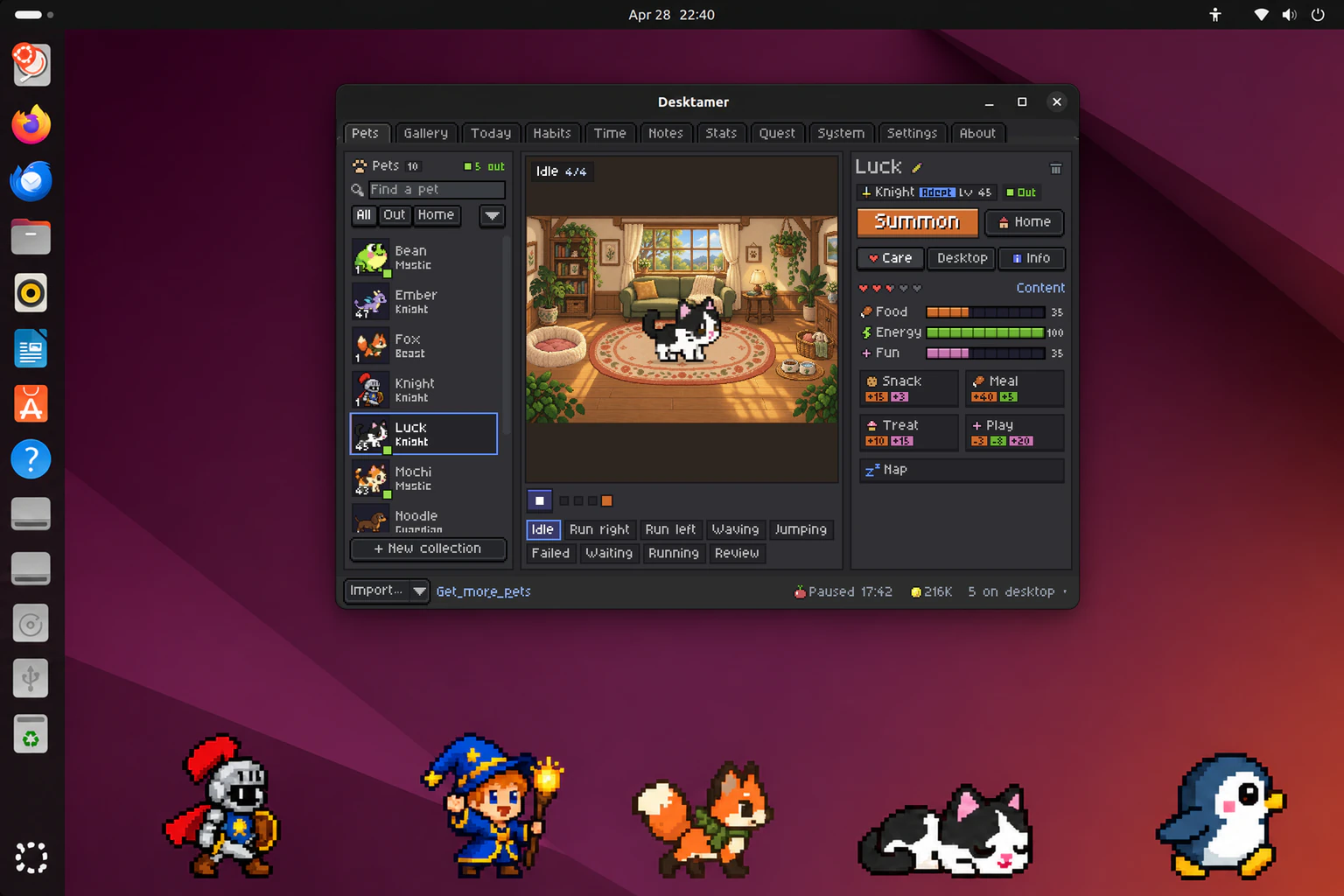
- Packages: an AppImage, a .deb and an .rpm, for 64-bit Intel or AMD computers.
- On Wayland, Desktamer runs through XWayland, for the reasons above. If your session has XWayland (almost every desktop does), there’s nothing to set up. Transparent pets need a compositing window manager, which every current desktop has.
- Where pets walk: along the bottom of your screen. There’s no menu bar to walk in, like a Mac has, so that’s their floor.
- The tray: Desktamer puts its paw in your system tray, with every pet and helper a click away. On GNOME, install the AppIndicator extension to see it. Without a tray, Desktamer opens its window when it starts, and the window has the same controls.
- Updates: the AppImage updates itself. The .deb and .rpm ask for your password and install when you choose Restart to Update.
A few things work only on macOS and Windows, because Linux doesn’t offer a way to do them:
- Keeping quiet during calls, and noticing you’ve stepped away. Do Not Disturb works everywhere.
- Hiding pets while an app is full screen.
- The System tab’s GPU and temperature readings.
- Global keyboard shortcuts in a Wayland session.
Which one to pick
- For a classic, install oneko or xpenguins from your distribution. They’re happiest in an X11 session.
- For Shimeji characters, Shijima-Qt covers KDE and GNOME while it still works. On Sway or Hyprland, try wl_shimeji. Here’s what Shimeji are, and how to add characters.
- For a pet that stays with you all day (one you feed, send on quests and bring along to your Mac or Windows PC), that’s what Desktamer is for. You can try a pet on this site first.
On a Mac or a Windows PC too? Here are the best desktop pets for Mac and for Windows. Worried about speed or battery? Here’s what a desktop pet costs your computer.