 Desktamer
Shimeji desktop pets: how to download and run them
Shimeji have been climbing people’s windows since the late 2000s, and they’re still among the desktop pets people search for most. Here’s what they are, how to get them running today, and what to do on a Mac or Linux, where the usual download won’t run. We make Desktamer, a different kind of desktop pet, so it comes up near the end. Everything else is from each project’s own page or download, as of 9 October 2026.
What is Shimeji?
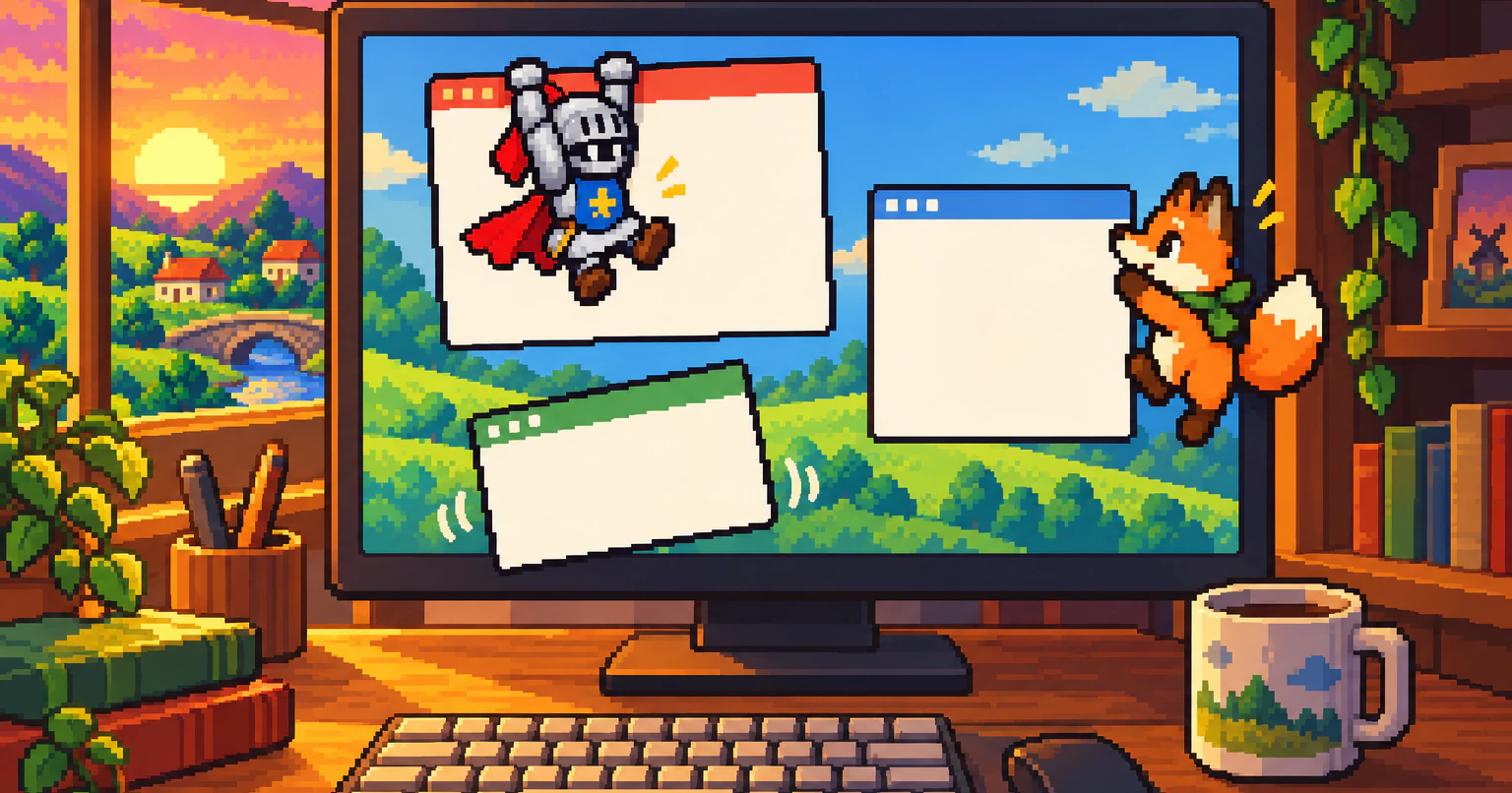
Shimeji is a desktop mascot: a little character with no window around it that wanders your screen and plays on whatever you have open. Yuki Yamada of Group Finity made the original in Japan. A 2009 review covered its version 2.0, which needed Windows XP or Vista and Java 6.
A Shimeji doesn’t need looking after. There’s no food, no mood and nothing to unlock. It’s a toy that keeps itself busy:
- It walks along the bottom of your screen, climbs the sides and hangs from the top.
- It climbs onto your windows and sits on their edges, and now and then carries one off and throws it.
- It chases your pointer, or sits and watches it.
- You can pick it up and throw it.
- It splits in two, until you send the extras away.
The original’s site has been gone for years. What most people run today is Shimeji-ee, “Shimeji English Enhanced”: an English translation with fixes from Kilkakon and others. Its code is open, and every character is just a folder of pictures, so fans have redrawn Shimeji as characters from games, anime and their own art. The program stays the same. Only the pictures change.
Every way to run Shimeji today
| Runner | Runs on | Needs | Status |
|---|---|---|---|
| Shimeji-ee | Windows | Java 8 | The main one. The jar in the download is from August 2025 |
| Shijima-Qt | Windows 11, Macs with Apple silicon, Linux (KDE Plasma 6, GNOME 46) | Nothing else | Imports Shimeji-ee packs. Archived in April 2026 |
| Shimeji-Desktop | Windows, Mac, Linux on X11 | Java 25 or newer | A Shimeji-ee fork. Only rolling test builds, the latest on 6 October 2026 |
| ShimejiEE-cross-platform | Mac, Windows, Linux | Java 17, included in the Mac download | Last release in October 2022 |
| wl_shimeji | Linux on Wayland, but not GNOME | Nothing else | Pre-release |
| Shimeji Browser Extension | Chrome | Nothing else | Only on web pages, not your desktop |
| Shijima for Android | Android | Nothing else | From Shijima-Qt’s maker. Free, with no ads |
Where to download Shimeji-ee, and how to get it running
Download Shimeji-ee from its home page, kilkakon.com/shimeji, install Java 8, unzip it, and double-click Shimeji-ee.jar. It’s free, it comes with the classic Shimeji, and its readme asks for Windows Vista or later.
- Install Java. Shimeji-ee’s readme asks for Java 8, which is what java.com gives you.
- Download Shimeji-ee. On its home page, click Download Now. You get
shimejiee.zip, about 1.8 MB. - Unzip all of it to a folder of its own, such as
Documents\Shimeji-ee. Shimeji-ee looks for itsimgandconffolders beside it, so it won’t start properly from inside the zip. - Double-click
Shimeji-ee.jar. After a moment a Shimeji drops from the top of your screen, and its icon appears in the tray. - Right-click the tray icon for its options: Call Shimeji adds one more, and Dismiss All quits. Right-click a Shimeji for the things only it can do.
To uninstall it, quit and delete the folder. Shimeji-ee installs nothing else, though Java stays until you remove it too.
If it doesn’t start
- Double-clicking the jar opens an archive app, or nothing at all. Another program has claimed
.jarfiles. Right-clickShimeji-ee.jar, choose Open with, and pick Java(TM) Platform SE binary. Or open a Command Prompt in the folder and runjava -jar Shimeji-ee.jar, which also shows any error. - The icon appears, but no Shimeji. Check that you have the latest Shimeji-ee and Java, and that
imgholds only character folders. TheShimejiLogfile in the folder says what went wrong. - It’s slow to start, or eats memory. One Shimeji starts for every character in
img, and the readme warns it “can eat up to 60% of your system’s free memory”. Keep the characters you’re not using inimg/unused.
How to add more Shimeji characters
Each character is a folder of pictures, called an image set, inside img. Put a character’s folder next to img/Shimeji and restart Shimeji-ee, and one of each will drop in. Shimeji-ee skips anything in img/unused, and its Image Set Chooser lets you pick which characters to run.
Fans share characters on DeviantArt, itch.io and their own pages, mostly as zips. Many packs hold a whole copy of Shimeji-ee. All you need from one is the character’s folder: the pictures shime1.png to shime46.png, and sometimes a conf folder with its own moves.
Is Shimeji safe?
The copy to trust is the one from kilkakon.com: Shimeji-ee is open source, its source code is a download beside it, and it’s a plain Java program with no installer. The risk is in getting it anywhere else:
- Download the program only from its home page, or a runner’s own GitHub page. Copies on download sites and inside character packs can be old, or changed.
- Take only the pictures from a character pack. Copy its image folder into your own Shimeji-ee’s
img. Pictures can’t run anything. - Be wary of any pack that asks you to run an
.exe, a.batfile or an installer. Shimeji-ee from kilkakon.com has none of them: it’s a.jaryou double-click. - Get Java from java.com, not from a link in a pack.
Worried about speed rather than safety? Here’s what a desktop pet costs your computer, and how to check any pet.
Does Shimeji work on a Mac?
Not the usual way: Shimeji-ee runs only on Windows. On a Mac, Shimeji run only through community runners, and none of them is both kept up to date and a regular signed Mac app. Here’s how each one does:
- Shijima-Qt is the least fuss. It’s a Mac app for Apple silicon with no Java to install, and it imports Shimeji-ee character packs as zip, rar or 7z files. It needs the Accessibility permission to see your front window. But its maker discontinued it in April 2026, so it won’t get any more fixes.
- Shimeji-Desktop is a Shimeji-ee fork that’s still being worked on, and it runs on a Mac. You need Java 25 or newer, and it only comes as rolling test builds.
- ShimejiEE-cross-platform has a Mac download with Java included, but its last release came out in October 2022.
If macOS won’t open one of them, open System Settings, then Privacy & Security, scroll down and click Open Anyway. Only do that for a download you trust.
So should you look for a native alternative? If you want Shimeji characters in particular, Shijima-Qt is the easiest while it keeps working. If any pet will do, a native Mac app is easier to live with: no Java and no security warning. Our list of the best desktop pets for Mac has eleven. Pets Therapy is the closest to Shimeji, with pets that walk on your windows and perch on their edges. Ours, Desktamer, is further from Shimeji: its pets don’t climb windows, but they can move into your menu bar, and you look after them.
Shimeji on Linux
Shimeji-ee doesn’t run on Linux either. Shijima-Qt does, on KDE Plasma 6 and GNOME 46, and it’s on Flathub, but it’s archived. On Sway or Hyprland, wl_shimeji runs Shimeji natively on Wayland, and Shimeji-Desktop runs on X11. Here’s why Wayland makes desktop pets hard, and what else runs there.
Shimeji in your browser, or on your phone
- In Chrome: the Shimeji Browser Extension, from shimejis.xyz, has a million users. Its characters walk, climb and jump around the sites you visit, and throw bits of the page. They live only in the browser, though, not on your desktop.
- On Android: Shijima, from the maker of Shijima-Qt, runs Shimeji characters on your phone. It’s free, with no ads.
How to make your own Shimeji
A Shimeji is 46 pictures, shime1.png to shime46.png, each one a pose. In the classic set each is 128 by 128 pixels. To make your own:
- Copy
img/Shimejiand give the copy your character’s name. - Redraw each picture over the original, with your character in the same spot. Keep the files’ names.
- Restart Shimeji-ee. Your character moves just like the classic one, because Shimeji-ee’s moves (in
conf/actions.xml) only say which picture to show when.
New moves take an actions.xml and a behaviors.xml of your own, in img/<name>/conf/. The readme warns that writing them takes a lot of trial and error.
Want a pet for something other than Shimeji? How to make your own desktop pet walks through a Codex pet: one sprite sheet that works in Codex and in Desktamer, on a Mac, Windows or Linux.
If you’d rather not install Java
Desktamer is our app, and it isn’t a Shimeji runner: it doesn’t read Shimeji image sets, and its pets don’t climb your windows. It’s a desktop pet you look after, on a Mac, Windows or Linux, with nothing else to install. Pets walk along the bottom of your screen. On a Mac they can move into the menu bar, and on Windows they walk along the top of the taskbar. You feed them, play with them and send them on quests in a small idle RPG.
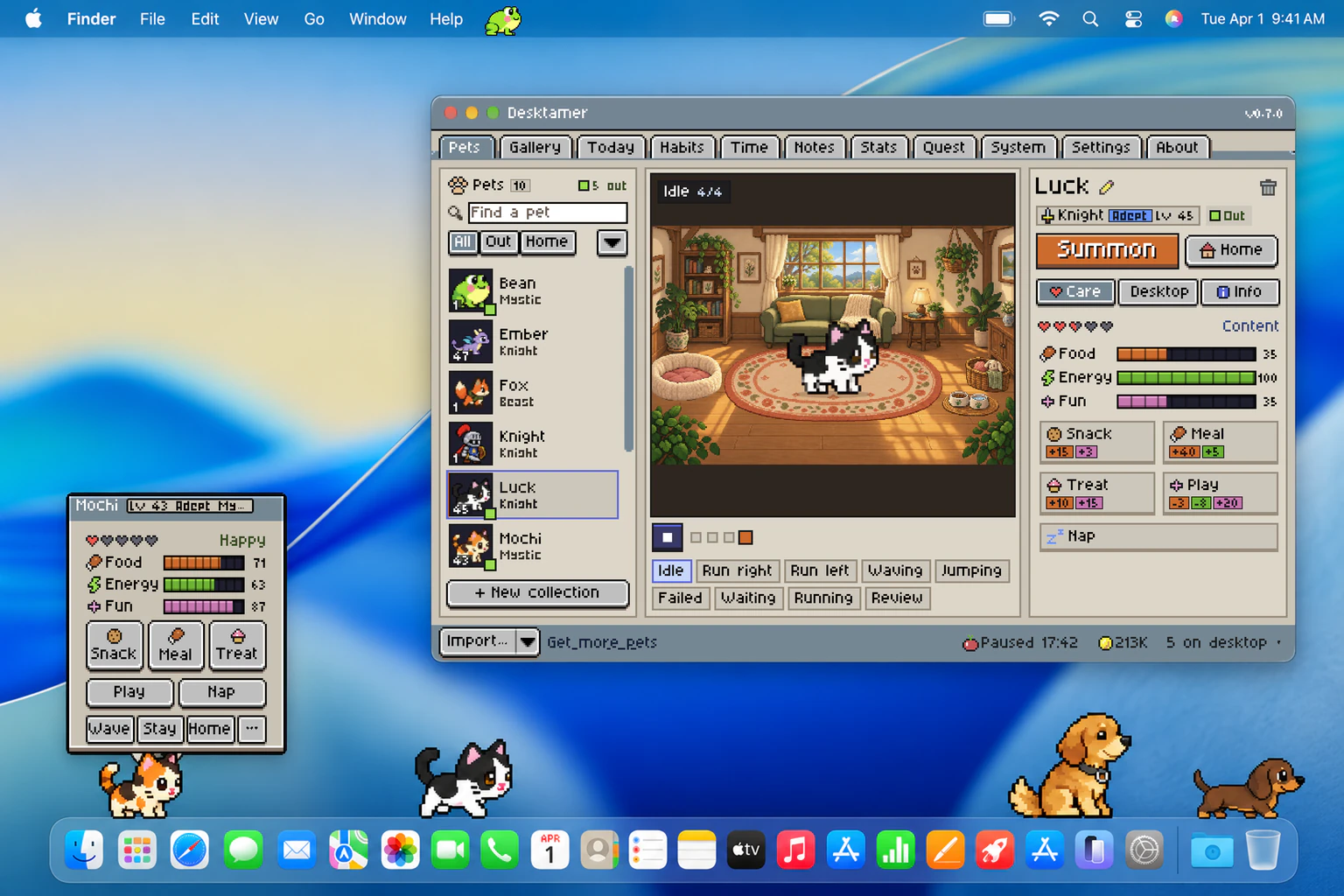
You can bring your own pets as Codex pets, sprite sheets or GIFs, so a character you drew for Shimeji can come along once its frames are laid out as a sheet.
Try it free for seven days, with no card: download Desktamer. After that it’s $9.99 once, for up to three computers.
Which one to pick
- Classic Shimeji on Windows: Shimeji-ee, from kilkakon.com.
- Shimeji on a Mac: Shijima-Qt while it keeps working, or Shimeji-Desktop if you don’t mind Java 25.
- Shimeji on Linux: Shijima-Qt on KDE or GNOME, wl_shimeji on Sway or Hyprland.
- Shimeji while you browse: the Shimeji Browser Extension.
- A pet you look after, with no Java: Desktamer.
On Windows and want more than Shimeji? Here are the best desktop pets for Windows.