 Desktamer
Desktop Goose: download, mods, Mac, and how to close it
Desktop Goose came out in January 2020, and it’s still one of the first names people meet when they look for a desktop pet. Most of the questions about it are the same: where to get it, how to make him stop, and whether it’s a virus. Here are the answers, from the goose’s own page, readme and settings file, as of 22 October 2026. We make Desktamer, a calmer kind of desktop pet, so it comes up near the end, with a side-by-side comparison.
What is Desktop Goose?
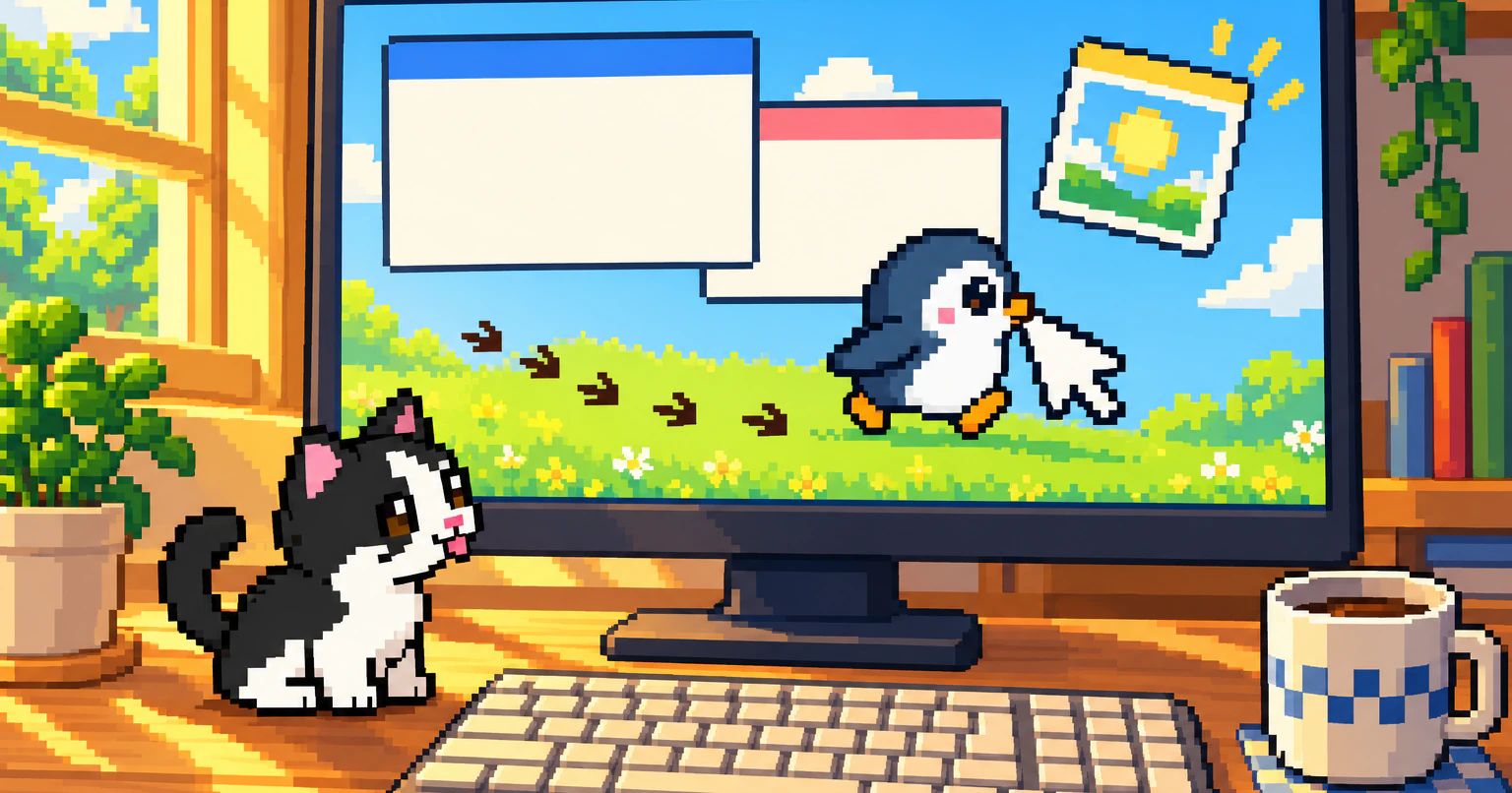
Desktop Goose is a small program by Sam Chiet, samperson on itch.io, that puts a goose on your desktop. He wanders around, tracks mud across your screen, grabs your mouse pointer and drags it off, and brings you memes and notes in windows of their own. Poke him and he comes for your pointer. He was one of itch.io’s games of the month in February 2020.
It isn’t Untitled Goose Game. The goose’s page says Sam isn’t affiliated with House House or Panic, the game’s studio and publisher, though the goose’s readme says his honks are sampled from that game.
Where to download Desktop Goose, and what it costs
The only official download is on Desktop Goose’s itch.io page. It’s “name your own price”: pay what you like, or nothing. itch.io suggests $2.99. It has 4.8 stars from almost 2,000 ratings there.
| Download | Version | Last updated | Size |
|---|---|---|---|
| Windows | 0.31 | 7 October 2022 | 4.1 MB |
| Mac | 0.22, macOS 10.10 or later | 11 February 2020 | 14 MB |
Neither has changed since. On Windows, unzip the download and double-click GooseDesktop.exe. Nothing gets installed. The readme asks people not to re-upload the goose but to link to the itch.io page, so a copy from anywhere else didn’t come from its maker.
How to get rid of Desktop Goose
On Windows, hold Esc for a couple of seconds. “Continue holding ESC to evict goose” comes up on screen, and he lets go of your pointer as he leaves. If that doesn’t work, open Task Manager with Ctrl+Shift+Esc, pick GooseDesktop and choose End task.
On a Mac, Esc does nothing, and he has no Dock icon. Open Activity Monitor, pick Desktop Goose, and stop it with the ✕ button at the top. Or open Terminal and type killall "Desktop Goose".
To be rid of him for good, close him and delete his folder: there’s nothing to uninstall. He doesn’t install himself to start with your computer, so if he comes back every time it starts, someone has added him to your startup apps. On Windows, turn him off in Task Manager’s Startup apps.
How to change what the goose does
On Windows, open config.ini in his folder with Notepad, change a value, save it, and start him again.
| Setting | Comes as | What it does |
|---|---|---|
Task_CanAttackMouse |
True |
False and he never grabs your pointer |
AttackRandomly |
False |
True and he grabs it without being poked |
SilenceSounds |
False |
True mutes his honks |
UseCustomColors |
False |
True uses the three colours below |
GooseDefaultWhite, GooseDefaultOrange, GooseDefaultOutline |
#ffffff, #ffa500, #d3d3d3 |
His body, beak and feet, and outline |
MinWanderingTimeSeconds, MaxWanderingTimeSeconds |
20, 40 |
How long he wanders between pranks |
FirstWanderTimeSeconds |
20 |
How long before his first prank |
EnableMods |
False |
True loads the mods in Assets/Mods |
Can Desktop Goose use your own pictures, GIFs or sprites?
Your own memes and GIFs, yes. Your own goose, no.
- Memes: put pictures and GIFs in
Assets/Images/Memes, and he brings them to you. There’s no limit on how many. - Notes: put text files in
Assets/Text/NotepadMessages, one note in each, and he opens them in his notepad. - The goose himself isn’t a picture: the program draws him from lines and circles as he moves, so there’s no sprite sheet or GIF to swap. You can recolour him in
config.ini, or use a mod that changes his look, like a hat mod, or Sonigoose, which makes him blue and fast.
If you’d rather have your own character on your desktop, you need a different app: Shimeji-ee takes Shimeji image sets, and Desktamer takes Codex pets, sprite sheets and GIFs. Here’s how to make your own desktop pet.
Desktop Goose mods
Mods came with version 0.3, on Windows only. The goose already comes with one: the Autumn mod, with leaf piles he plays in. To add another:
- Close the goose.
- In his folder, open
Assets/Modsand make a folder named after the mod. - Put the mod’s
.dllfile in it (or the mod’s folder, if it came as a zip). - In
config.ini, changeEnableMods=FalsetoEnableMods=Trueand save. - Start him again.
The fans’ ResourceHub lists over 20 mods, such as DragGoose, which lets you pick him up, and GooseManager, which switches off the pranks you don’t like (dragging in windows, say). Mods are programs that run along with the goose, and he shows a warning when you turn them on. Take ones that link to their source code, as most of ResourceHub’s do.
Is Desktop Goose a virus?
No, though it acts like one on purpose: he moves your pointer and opens windows by himself. The copy from itch.io is a small program that installs nothing and goes away when you close it. Stay safe this way:
- Download him only from samperson.itch.io. Copies on download sites, in videos’ descriptions or passed around in a zip can be old, or changed.
- Treat mods as programs, because they are. Take them from ResourceHub, or wherever their source code is.
- Close him before a game, a call or anything you can’t have interrupted. He takes your pointer whenever he likes.
Worried about speed rather than safety? Here’s what a desktop pet costs your computer.
Desktop Goose on a Mac, Linux or a phone
On a Mac, the goose is version 0.22 from February 2020, ported by Jesús A. Álvarez, for macOS 10.10 or later. It’s behind the Windows one: it has no mods, and no Esc to close him. The itch.io page still says “Mac doesn’t support mods yet. Wait for 2023.”
On Linux, there’s no Desktop Goose. PyGoose is a fan remake in Python, not by Sam, with builds for Linux, Windows and macOS. It’s a small, new project: version 0.37 came out in July 2026. Here’s what else runs on Linux.
On a phone, there’s no Desktop Goose either. GooseDroid is a fan port for Android 7 and later, installed as an APK from GitHub. An iPhone doesn’t let apps draw over other apps, so there’s nothing like it there.
What to use instead of Desktop Goose
Instead of Desktop Goose, you can have another desktop character: Shimeji that climb your windows, a sheep, a cat that drums as you type, or a pet you look after. On Linux, there’s a remake of the goose himself.
- The same goose on Linux: PyGoose.
- Little characters that climb and drag your windows: Shimeji-ee, free, for Windows.
- A sheep that walks your taskbar and windows: eSheep, free, for Windows.
- A cat that taps along when you type: Bongo Cat, free on Steam.
- A pet to look after: VPet, free on Steam for Windows, or Desktamer, on Mac, Windows and Linux.
There are more, with prices, in the best desktop pets for Windows and for Mac.
Desktop Goose vs Desktamer
They’re opposites. Desktop Goose is a prank: he’s there to get in your way, and you can have him for free. Desktamer is a pet you keep while you work: it stays out of your way, and costs $9.99 once after a free week.
| Desktop Goose | Desktamer | |
|---|---|---|
| Price | Name your own price, from $0 | Free for 7 days, then $9.99 once, for up to three computers |
| What it’s for | A laugh | Company while you work |
| Gets in your way | On purpose: takes your pointer, opens windows | No: walks along the bottom of your screen, never takes your pointer, and you can drag it anywhere |
| Looking after it | No | Food, energy, fun and a bond, and quests in a small idle RPG |
| Your own characters | Your memes, GIFs and notes; the goose himself only takes new colours or mods | Codex pets, sprite sheets and GIFs, and over 3,000 shared Codex pets to pick from |
| Runs on | Windows; an older version on Mac | Mac (macOS 13 or later), Windows 10 and 11, and Linux |
| Last updated | October 2022 | October 2026 |
| Making it stop | Hold Esc (Windows), or Activity Monitor (Mac) | Pause wandering, Hide pets or Send all home, from the tray or menu bar |
Desktop Goose is the better pick when you want a laugh and not a pet: it’s free, it’s a 4 MB download, it has mods, and its chaos is the point.
Desktamer is the better pick when you want a pet to keep on screen while you work: one that never takes your pointer, that you look after, and that runs on Linux too.
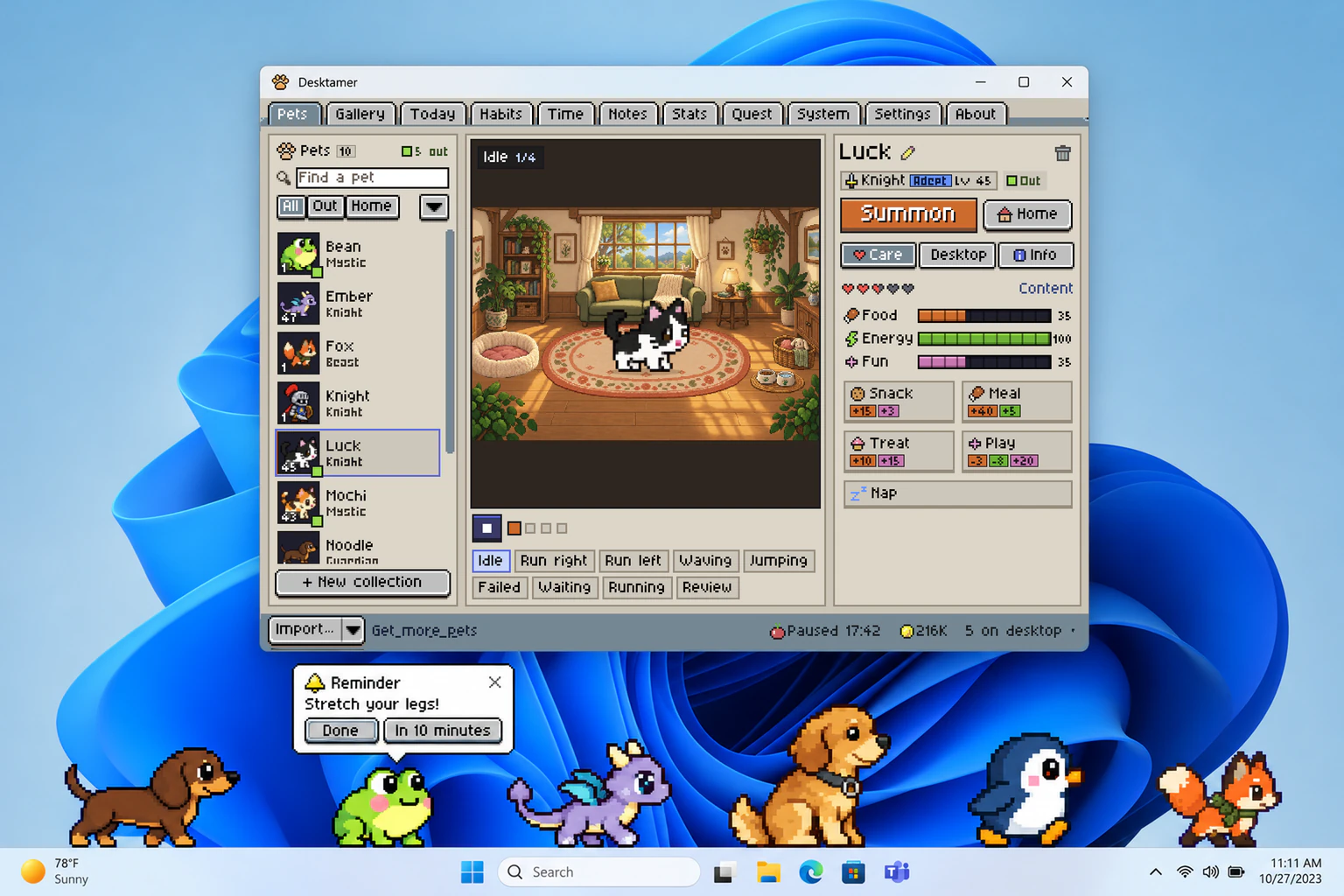
Desktamer is our app: pixel pets that walk along the top of the taskbar on Windows, along the bottom of the screen on a Mac or Linux, and into a Mac’s menu bar. You feed them, play with them, and send them on quests in a small idle RPG while you work. Try it free for seven days, with no card: get it from the Microsoft Store or this site.
Which one to pick
- A laugh, or a prank on a friend who’ll laugh too: Desktop Goose, on Windows.
- Desktop Goose on a Mac: the 0.22 version, without mods.
- Desktop Goose on Linux: PyGoose.
- Characters that climb your windows: Shimeji-ee.
- A pet you look after, that never takes your pointer: Desktamer.